Key Takeaway
For most small businesses printing short-term labels—such as product tags, food-date labels, QR codes, appointment labels, or order labels—the iDPRT iF2 2-inch barcode printer is the simpler direct thermal choice. Opt for the iDPRT iE2X thermal transfer printer when you need ribbons for jewelry tags or asset labels, compatibility with specialty media, or longer-lasting prints.
When Should a Small Business Use a 2-Inch Barcode Printer?
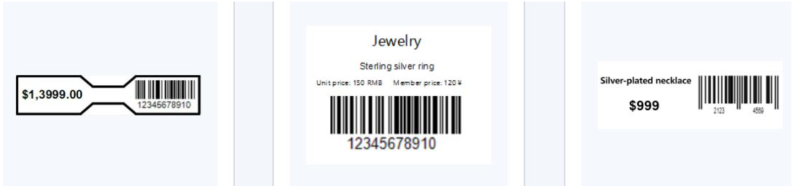
A 2-inch barcode printer makes sense when most of your labels are narrow and you do not need the wider media capacity of a 4-inch model. Small retailers and boutique owners often use these printers to crank out retail price tags, small product labels, and jewelry tags.
2-Inch vs. 4-Inch Barcode Printer: Which Size Do You Need?
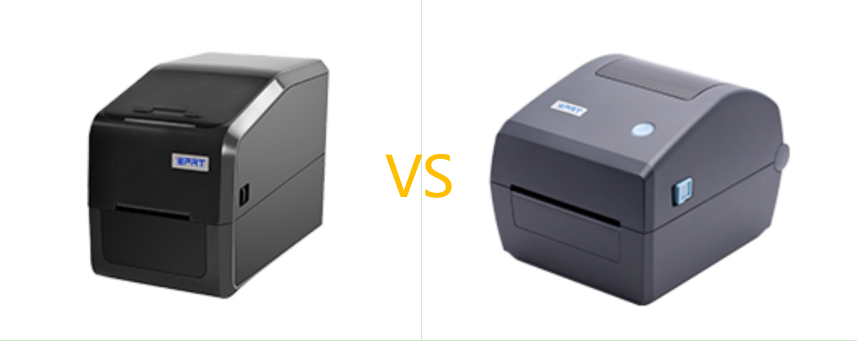
A 4-inch barcode printer is usually the better choice for shipping labels, carton labels, pallet identification, and wider product labels.
A compact 2-inch barcode printer is better suited to small product and identification labels. It also takes up less counter or desk space, which can matter in a boutique, café, salon, repair shop, or small office.
What Are the Common Applications of a 2-Inch Barcode Printer?
A 2-inch barcode printer generally supports media up to 60 mm wide, although the usable print width is slightly narrower. Available in direct thermal and thermal transfer configurations, this compact printer category can handle a range of small-business labeling tasks when paired with suitable media.
Common applications include:
- • Product, SKU, and retail price labels
- • Food-date and ingredient labels
- • Inventory and shelf labels
- • QR code labels
- • Café, bakery, and pickup order labels
- • Salon appointment and repair job labels
- • Jewelry, eyewear, and accessory tags
- • Small asset and tool identification labels
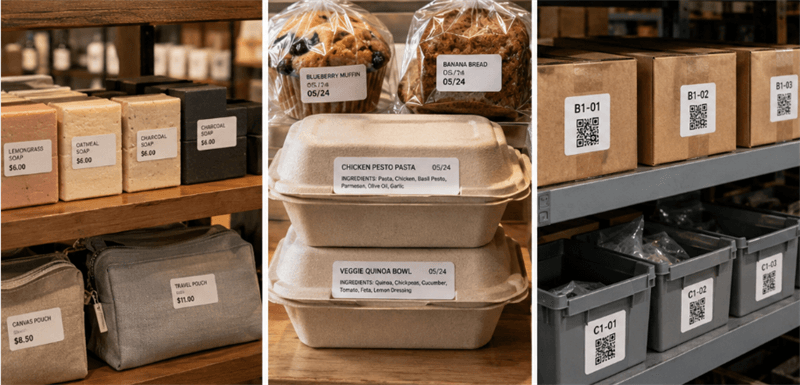
Note: Direct thermal printing suits most short-life paper labels, while jewelry tags, specialty media, and longer-lasting asset identification often call for thermal transfer.
How Do You Choose the Right 2-Inch Barcode Printer?
The best 2-inch barcode printer is not simply the fastest model or the one with the longest feature list. Focus on four practical factors: label life, print resolution, media compatibility, and connectivity.
Choose the Printing Method by Label Life and Material
Direct thermal printers create an image on heat-sensitive media without using a ribbon. This keeps the workflow simple and reduces the number of consumables a small business must manage.
It is often the practical choice for:
- ● Retail price labels
- ● Food production and expiration dates
- ● Short-life inventory labels
- ● Order and pickup labels
- ● Temporary product identification
Thermal transfer printing uses a ribbon to transfer the image onto the label surface. It is usually the stronger option when the business uses specialty materials or needs labels to remain readable for longer periods.
Typical thermal transfer applications include:
Jewelry tags, equipment identification, tool labels, and small fixed-asset labels.
Thermal transfer can improve label durability, but performance still depends on the label material, ribbon, adhesive, and use environment. For example, a paper label printed with a wax ribbon has different resistance characteristics from a synthetic label printed with a resin ribbon. Test the complete media combination when labels may face friction, heat, oil, or cleaning agents.
Choose 203 or 300 DPI Based on Label Density
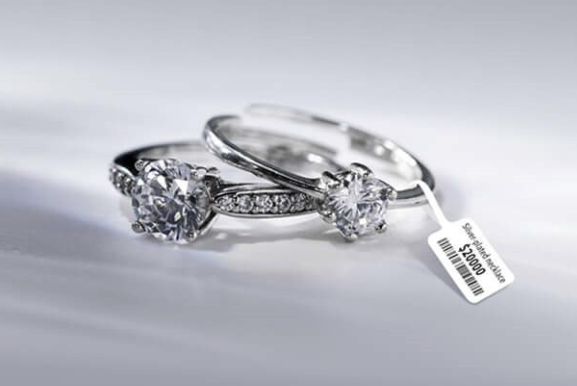
A higher resolution is most useful when the label is physically small or contains a large amount of information.
A 203 DPI barcode printer is usually sufficient for:
- ● Standard product barcodes
- ● Retail price labels
- ● Date and order labels
- ● Larger text
- ● Common UPC, EAN, and Code 128 symbols
Choose 300 DPI when printing:
- ● Jewelry and eyewear tags
- ● Very small text
- ● Compact QR Codes
- ● Data Matrix codes
- ● Labels containing several data fields in a limited area
Do not select 300 DPI only because the specification is higher. For straightforward product and order labels, 203 DPI may provide all the clarity the workflow requires.
Note: Resolution also cannot correct a poorly designed barcode. An undersized symbol, missing quiet zone, weak contrast, or unsuitable label surface can still reduce scan reliability. Test the actual label design with the scanners and mobile devices used by the business.
Check the Actual Print Width and Label Compatibility
Before purchasing a large quantity of labels, check more than the advertised printer width. Confirm:
- ● Label and backing-paper width
- ● Maximum printable width
- ● Media thickness
- ● Label gap or black-mark position
- ● Roll diameter and core size
- ● Paper or synthetic label material
For instance, the iDPRT iF2 supports media from 20 to 60 mm wide, with a maximum print width of approximately 56 to 56.9 mm depending on resolution. This difference matters when a label design extends close to the edges. A label that is physically 60 mm wide does not provide 60 mm of printable space. Create and test the final template before committing to a large media order.
Match Connectivity to the Daily Workflow
Choose connectivity according to where the label job originates and who needs to use the printer.
USB is often enough for one printer connected to a fixed computer. Ethernet is more practical when several workstations share a printer. Wi-Fi or Bluetooth can help with mobile workflows, but wireless connectivity is not automatically the best option for every small business.
Also consider how employees handle labels after printing. A peeler can speed up repeated peel-and-apply work, while a cutter is useful when labels or continuous media need to be separated automatically.
Before purchasing, confirm that the printer works with the operating system, driver, label template, and software used by the business. Support for a printer language does not guarantee compatibility with every POS, inventory, booking, or ordering platform.
What Is the Best 2-Inch Barcode Printer for Product, Jewelry, and Asset Labels?
The best model depends on whether the business prioritizes a simple ribbon-free workflow or broader media and durability options.
iDPRT iF2 2-Inch Direct Thermal Label Printer
Best for Product, Food-Date, QR, and Retail Labels
The iDPRT iF2 is a budget-friendly, versatile 2-inch thermal barcode printer ideal for small businesses that frequently update prices, expiration dates, order info, or product details. Its direct thermal printing requires no ribbons or extra consumables, simplifying daily operations and reducing consumable costs.
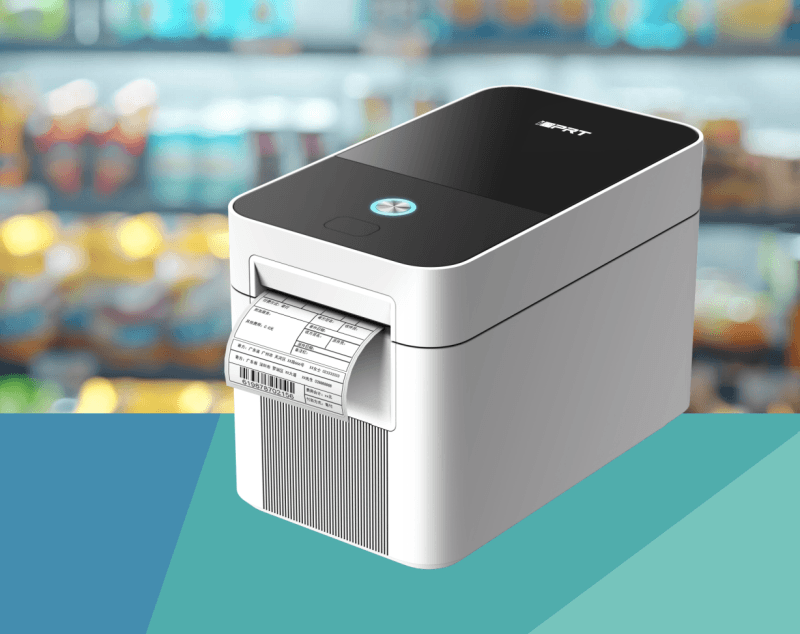
- Fast, Waste-Reducing Printing Print speeds of up to 6 ips support busy counters and service areas. First-label output without backfeed reduces waiting and avoids unnecessary label waste.
- Compact and Flexible Placement The space-saving design fits crowded retail counters, food-preparation stations, service desks, and small stockrooms. USB and Ethernet support fixed or shared setups, while optional Wi‑Fi and Bluetooth enable seamless mobile and POS printing.
Choose 203 DPI for standard product barcodes and routine text, or 300 DPI for smaller characters, compact QR codes, and information-dense labels.
Optional peeling and cutting functions reduce manual handling when employees print, separate, and apply labels repeatedly.
It is well suited to:
- ● Product and retail price labels
- ● SKU and inventory labels
- ● Food-date and ingredient labels
- ● QR code labels
- ● Salon appointment labels and repair job labels
- ● Café, bakery, and pickup order labels
iDPRT iE2X 2 Inch Thermal Transfer Desktop Barcode Printer
Best for Jewelry and Durable Asset Labels
The iDPRT iE2X is a compact, high-performance 2-inch dual-mode (thermal transfer & direct thermal) barcode printer. It is ideal for jewelry retailers and small businesses that need small barcode labels with sharp print quality, broader media compatibility, and long-term durability.
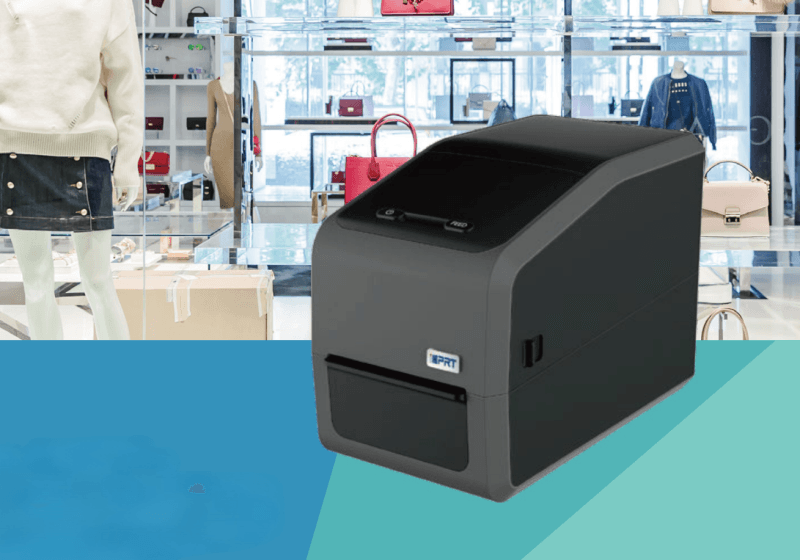
- High-Speed, 300 DPI Precision for Small Labels This 2-inch Print at rapid speeds up to 6 ips (at 300 DPI), keeping micro-text, QR codes, and barcodes clear on compact product labels, jewelry tags, SKU labels, and asset tags.
- Flexible Media & Ribbon Support Compatible with various specialty media, including T-shaped, rat-tail, and butterfly jewelry tags, hang tags, and synthetic asset labels. With wax, wax/resin, and resin ribbon support, the iE2X helps businesses create clear, durable labels for long-term identification.
USB and Ethernet for fixed or networked setups, USB Host for peripherals like flash drives or scanners, plus optional Wi-Fi and Bluetooth for mobile and POS integration.
Includes BarTender UltraLite (for Windows) and certified drivers for Windows/macOS/Linux, enabling businesses to design custom labels out of the box.
It is well suited to:
- ● Jewelry and accessory tags
- ● Eyewear and watch labels
- ● Boutique product tags
- ● Office equipment labels
- ● Tool identification labels
- ● Small fixed-asset labels
- ● Long-life product QR labels
iDPRT iF2 vs iE2X: Which 2-Inch Barcode Printer Should You Choose?
| Feature | iDPRT iF2 | iDPRT iE2X |
|---|---|---|
| Printing Method | Direct Thermal | Direct Thermal & Thermal Transfer |
| Resolution | 203 dpi / 300 dpi | 203 dpi / 300 dpi |
| Print Speed | 6 ips (203 dpi); 6 ips (300 dpi) | 8 ips (203 dpi); 6 ips (300 dpi) |
| Media Width | 20–60 mm | 20–60 mm |
| Ribbon Support | No ribbon required | Wax, Wax/Resin, Resin ribbons |
| Connectivity | USB, Ethernet, Optional Wi-Fi/Bluetooth | USB, Ethernet, USB Host, Optional Wi-Fi/Bluetooth |
| Memory | 128 MB Flash + 32 MB RAM | 16 MB Flash + 32 MB RAM |
| Best For | Everyday product, retail, food-date, QR and order labels | Jewelry tags, specialty labels, and durable asset identification |
Choose the iDPRT iF2 if you need a simple, ribbon-free solution for everyday labels such as product tags, price labels, food-date labels, QR codes, and order labels.
Choose the iDPRT iE2X if you need more flexibility for jewelry tags, specialty labels, or asset identification. Thermal transfer support, multiple ribbon options, and 300 DPI printing make it a better fit for small, detailed labels that require longer-lasting identification.
Explore more iDPRT barcode printers and RFID solutions to find the right printing and identification workflow for your business needs.